
A campaign app for D&D game masters
Every legend needs
a hand to write it.
Heroes, maps, the clash, and the chronicle — Quill & Compass is one place for the whole campaign. You run it on the desktop; your players join free in a browser. Begin: forge your party, and travel the map.
Who leads the party?
Pick one — they take the front of the road.
↓ scroll to travel the road
The first waypoint
They ask the innkeeper
her name.
You never prepped her, and the party has just decided she matters. One press: a name, a manner, a secret, something on tap. Shops, rooms and chests, the same. Who the duke really is stays yours.
Act IIThe road
The lair
It has been waiting.
Initiative
Your turn.
Quill & Compass will not roll this for you. That is the whole point.
Natural 20.
The blade goes in under the jaw and the great head comes down. Your name is in the chronicle now, and the chronicle does not forget.
See what kept the record ↓Natural 1.
The strike goes wide, and the dark comes down over all of you. The party ends here — but the tale of how they got this far is still written down.
See what kept the record ↓The fire, at the day's end
Nothing worth
remembering gets lost.
Your notes, quietly sorted and cross-linked as you write them, so the name you dropped eleven sessions ago is still findable in one search. You write it; the Quill keeps it straight.
Behind the curtain
This is the actual app.
Screenshots from a real campaign — not mock-ups. The Game Master runs the desktop app; players join free in a browser, with nothing to install.
For the Game Master
-
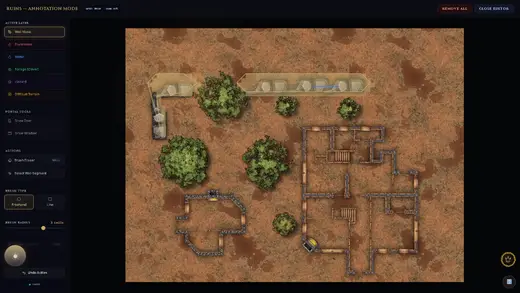
You paint the walls; it traces the rest — a brush dragged over the stonework becomes real light-blocking geometry. Doors and windows are their own tools, so a shut door can hide a room and still let the sound through. -
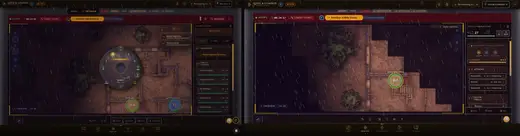
One dial, every screen — the GM turns the weather to storm and the rain arrives on the players' maps in the same moment. Left, the GM's app; right, a player in a browser. -
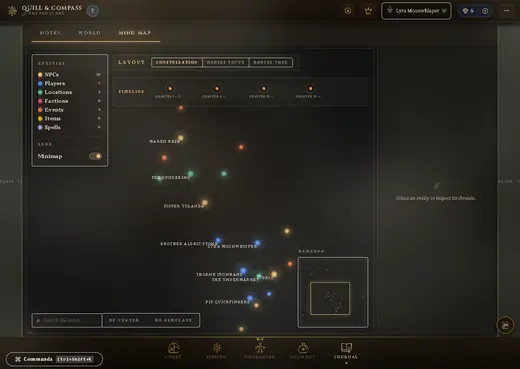
Everyone and everything, linked — every name you write is matched to the people, places and factions you already recorded, so you can see the campaign instead of remembering it. -
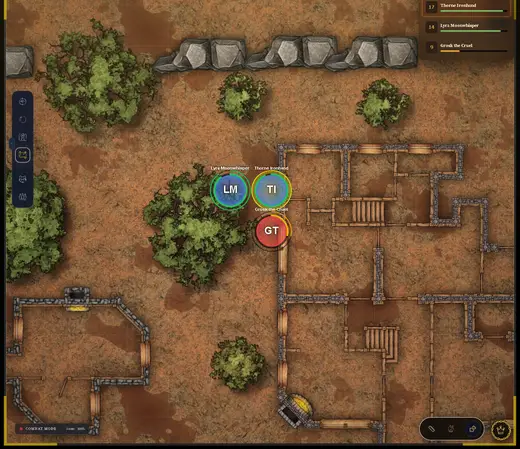
The fight, on a map the app drew — this swamp came out of the map generator. Tokens carry their health; the initiative order keeps the turn honest. -
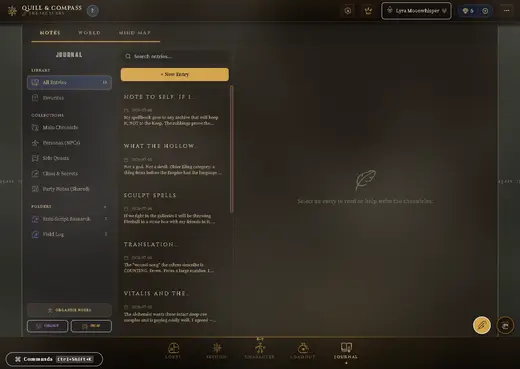
Notes that stay findable — folders, collections and entity links, so a name from eleven sessions ago is one search away. -
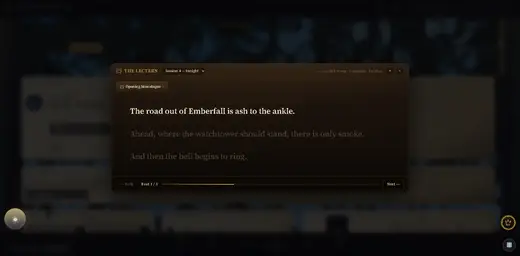
Read-aloud without the fumble — prepared passages in large type, broken into beats, on a screen only you can see.
For your players
-
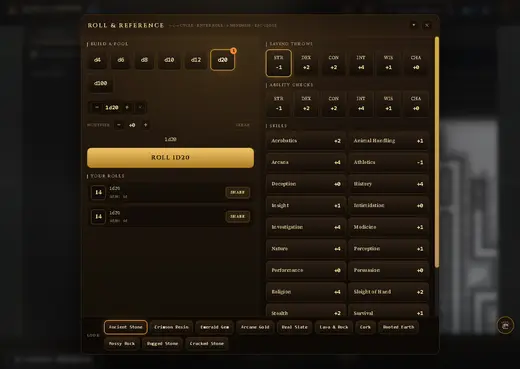
They roll their own dice — every save, check and attack to hand, with the history kept. Quill & Compass never rolls for a player. -
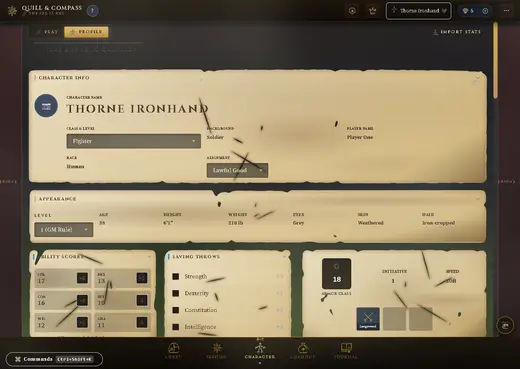
A sheet worth looking at — the numbers for play, and somewhere for who the character actually is. -
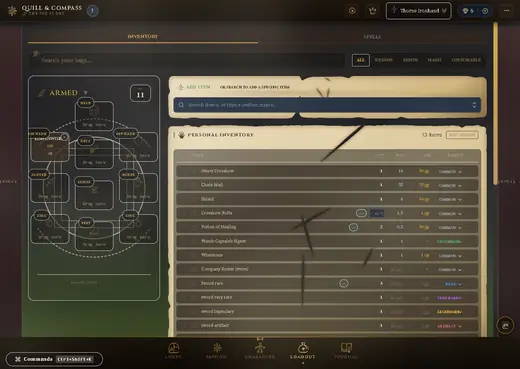
Kit that keeps itself straight — equipment slots, carried weight and what each thing actually does. -
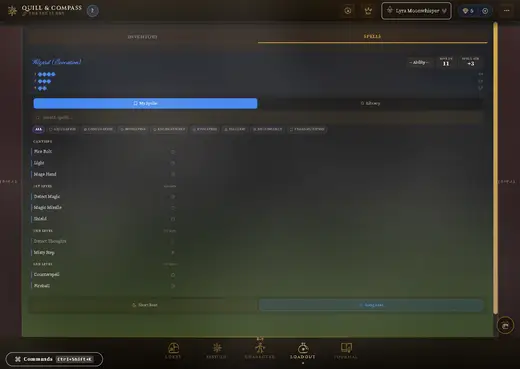
Spells, slots and all — prepared list, slots tracked, no separate spreadsheet.
Why a GM switches
Scrub a brush over the walls on your imported map and Quill & Compass traces that paint into real line-of-sight. No clicking hundreds of wall corners, one at a time, for every map you own. Doors and windows are their own tools — and each can block sight, light, sound and movement separately, so a shut door hides the room while the party still hears the chanting through it.
The dwarf sees sixty feet down a black corridor; the human beside her sees nothing until a torch is lit — and the torch is read from what the character is carrying, not typed in by hand. Ground the rogue already scouted stays revealed for everyone.
One campaign bible, with a hidden-or-revealed switch on every entry. Players open the same linked map of NPCs, places and factions — filtered before it ever leaves the server, so the secret never reaches their machine. Reveal it the moment they earn it.
The party goes somewhere you never prepped. Summon a creature and it arrives with a real stat block and real attacks already attached — not a blank token you fill in while five people watch you type.
What the GM can set
That weather sequence is a real control, not a cutscene.
- Six weathersclear, cloud, rain, storm, snow, fog
- Four hoursdawn, day, dusk, night
- Fog of warline of sight per token, darkvision aware
- Light & torchesplaced lights, flicker, walls that block
- Ambient sounda bed per place, cued from the same panel
- One dial, every screenyou change it; the table sees it
How it works
- The GM buys it once. No monthly bill, no per-seat charge.
- Players join free. A link and a web browser — nothing to install and no account to pay for.
- Your maps stay yours. Bring the images you already own; the app adds the lighting, walls, weather and fog.
- The dice stay yours too. Players roll for themselves. Always.
- One person builds it. No investors, no subscription. Who, and why →
Players start free in the browser today. Game Master licences £29 for the first 200, £39 after. See pricing
Two halves of one story
Gather your party.
You write. The Compass keeps the map. Begin the journey — it remembers everyone who walks it.